
Jackpotjoy Mobile App: Download, Features and How to Play on Mobile
Fancy a few games of bingo on the bus or a spin of Double Bubble from the sofa? Jackpotjoy has built its mobile offering around exactly that kind of casual, on-the-go play. This independent review walks you through what the Jackpotjoy mobile app actually offers, how to get it on your device, and what to expect once you’re logged in.
Table of contents
How good is Jackpotjoy on mobile?
Jackpotjoy works very well on mobile, with a native app for Apple devices and a fully optimised mobile site for everything else. Slots, casino games, Slingo and bingo are all designed for smartphones and tablets, and the operator’s own FAQ confirms the whole library is mobile-optimised.
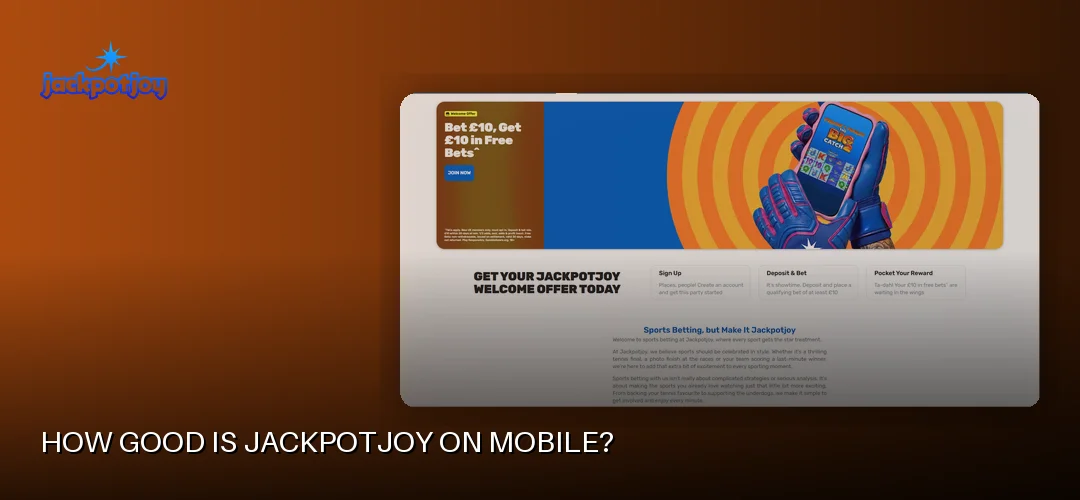
Here’s the honest picture. Jackpotjoy has been online since 2002, and it’s operated by Gamesys Operations Limited, part of the Gamesys Group that Bally’s Corporation acquired in a deal completed in October 2021. That pedigree shows on mobile — the layout is clean, the bingo rooms are easy to navigate with a thumb, and buying tickets or spinning slots takes a couple of taps.
The key thing to know about the Jackpotjoy app:
- There is a native Jackpotjoy app for iPhone and iPad, available from the App Store.
- There is no native Android app. Android users — and Windows device users — play through the mobile-optimised website, which runs the same games in the browser.
- Everything on mobile is covered by the same UK Gambling Commission licence (UKGC licence 38905) as the desktop site, so segregated customer funds, GAMSTOP participation and 18+ age verification all apply.
So if you’re searching for the Jackpotjoy bingo mobile app, yes — mobile bingo exists, and it’s good. iPhone and iPad owners get the dedicated app; everyone else gets a browser experience that behaves very much like one.
How to download the Jackpotjoy app
Downloading the Jackpotjoy app is free and takes a minute on an Apple device — just search the App Store, tap Get, and sign in. Android users skip the download entirely and play through the mobile site instead, which requires no installation at all.
Downloading for iPhone and iPad
The Jackpotjoy app for iPhone (and iPad) is a free download from the Apple App Store. According to the review documentation, the app requires iOS 6.0 or later and is compatible with iPhone 5 and higher, iPad and iPod touch — which in practice means almost any Apple device still in use today.
- Open the App Store on your iPhone or iPad.
- Search for Jackpotjoy.
- Tap Get and confirm with Face ID, Touch ID or your Apple ID password.
- Open the app and log in with your existing account, or register if you’re new.
What about the Jackpotjoy app for Android?
Searches for “Jackpotjoy Android app download” or “Jackpotjoy app APK” are common, so let’s be straight: there is no native Android app and no official APK. The operator points Android users to its mobile-optimised site, where every game — bingo, slots, Slingo, casino — runs directly in Chrome or your browser of choice.
A word of caution: never download a “Jackpotjoy APK” from a third-party site. Any file claiming to be the Jackpotjoy Android app outside the official channels isn’t from Gamesys and could put your device and account at risk. The mobile site is the genuine route, and you can add it to your home screen for app-style access:
- Open the Jackpotjoy site in Chrome on your Android phone or tablet.
- Tap the three-dot menu and choose Add to Home screen.
- Launch it from the icon like any other app — it opens straight into the mobile lobby.
The same applies if you’re looking for Jackpotjoy slots free download or a Jackpotjoy game download for PC: there’s nothing to install. Browser play covers desktop, Android and Windows devices, with demo/free play available on many titles if you want to try before spending a penny.
Jackpotjoy app features and functionality
Games you can play on mobile
The full game library is optimised for touchscreens. That means online bingo in 75-ball, 80-ball and 90-ball formats, free bingo rooms and live bingo rooms, plus slots including progressive jackpot and Jackpot King titles, Slingo, scratchcards and instants, table games like roulette and blackjack, and a live casino with game shows. The flagship slot Double Bubble from Roxor Gaming plays beautifully on a phone, and the wider catalogue features providers such as NetEnt, Pragmatic Play, Red Tiger, Big Time Gaming, Play’n GO, Blueprint Gaming, Yggdrasil and Games Global.
If slots are your main interest, our dedicated page has the full breakdown: Jackpotjoy slots.
Touch controls and interface design
The mobile interface keeps things simple. Bingo tickets are auto-dabbed so you never miss a number while chatting, slot spin buttons sit within thumb reach, and the lobby groups games by category so you’re not scrolling forever. Chat rooms work on mobile too — a big part of the Jackpotjoy bingo community feel carries over to smaller screens.
Notifications and staying in the loop
On the iOS app you can enable push notifications for things like upcoming bingo sessions and account alerts; the mobile site achieves similar coverage through on-site messages once you’re logged in. The operator also offers 24/7 customer support, and help is reachable from mobile — handy if you’ve seen queries about a “Jackpotjoy live chat free app”, since live chat is built into the product itself rather than a separate download.
Jackpotjoy mobile login and account management
Logging in on mobile is straightforward: open the app or mobile site, tap Login, and enter the same username and password you use on desktop. One account works across every device, so your balance, bingo tickets and loyalty progress follow you around.
Jackpotjoy app login for Android and iPhone
On iPhone, the Jackpotjoy app login screen appears as soon as you launch the app — enter your credentials and you’re in. On Android, the “app login” is really the mobile site login: open the site (or your home-screen shortcut), tap the login button at the top of the page, and sign in. For UK players searching “Jackpotjoy login in UK login app”, it’s the same single UK account either way — there’s no separate mobile-only registration.
Things you can manage from your phone or tablet:
- Verification: KYC is required before your first withdrawal. The operator says verification is typically quick and simple via the Verification Chat button — you can upload photo ID, proof of address and, where requested, source-of-funds documents such as bank statements or wage slips directly from your phone’s camera.
- Responsible gambling tools: set daily, weekly or monthly deposit limits (reductions apply immediately, increases after a cooling-off period), take a time-out, or self-exclude from 6 months. GAMSTOP is supported, and GamCare’s National Gambling Helpline is on 0808 8020 133.
- Account details: update contact info, check transaction history and track bonus progress.
Mobile login problems and troubleshooting
If the Jackpotjoy app won’t work on your phone — or you’re wondering “is the Jackpotjoy app down?” — run through these fixes first:
- Check your connection; bingo streams need stable Wi-Fi or 4G/5G.
- On iOS, update the app via the App Store — an outdated version is the most common culprit.
- On Android, clear your browser cache or try Chrome if another browser misbehaves.
- Double-check credentials — after too many failed attempts the account can lock, and 24/7 support can unlock it.
- If the site itself is having maintenance, the desktop version will show the same notice, which tells you it’s on the operator’s side, not yours.
Mobile deposits and withdrawals
Yes — you can handle all your banking on mobile, from your first £10 deposit to cashing out a win. Deposits start from £10 via debit card (Visa/Mastercard), PayPal, Skrill, Neteller, Pay by Mobile, Paysafecard, bank transfer, Apple Pay and Google Pay, all in GBP. Credit cards are banned for UK-licensed operators, and Pay by Mobile and Paysafecard are deposit-only.
Making a deposit in the app or mobile site takes seconds: head to the cashier, pick your method, enter the amount (minimum £10) and confirm. Apple Pay and Google Pay are particularly slick on a phone — a fingerprint or glance at the screen and you’re done.
Jackpotjoy withdrawal time with Apple Pay and other methods
The minimum withdrawal is £10, and your account must be fully verified before any cashout is released — that’s the usual bottleneck, so the first withdrawal takes longer than later ones. Typical payout times once processed:
- PayPal: 2–24 hours
- Skrill / Neteller: typically 24–48 hours
- Bank transfer: 1–3 working days
- Debit card: 1–5 working days
Apple Pay deposits route back to your linked debit card for withdrawals, so expect the 1–5 working day debit card timeframe rather than an instant Apple Pay payout. There’s no operator fee on standard withdrawals. All of this sits under UKGC licence 38905, meaning segregated customer funds and access to an approved alternative dispute resolution (ADR) scheme if anything goes wrong.
Mobile vs. desktop: which should you use?
Honestly, the gap is tiny. The operator confirms slots, casino, Slingo and bingo are all fully optimised for smartphones and tablets, so you’re not losing games by playing on mobile. The real differences are practical:
- Mobile wins for: bingo on the go, quick slot sessions, Apple Pay/Google Pay deposits, and snapping KYC documents with your camera.
- Desktop wins for: bigger chat windows during busy bingo sessions and a wider view of multi-ticket play.
New members pick one welcome offer before their first deposit, and it works identically on mobile and desktop: Play £10, Get £30 of Free Bingo or Play £10, Get 100 Free Spins on Fishin Frenzy The Big Catch 2 (1p coin size, 10 lines). New members only, must opt in, not valid with other welcome offers, min £10 deposit and £10 wager on slots game(s), 30 day expiry from deposit. Play Responsibly. GambleAware.org. 18+.
Whichever device you choose, it’s the same account and the same balance. For the bigger picture of the brand, see: Jackpotjoy review.
Frequently asked questions about Jackpotjoy mobile
Does Jackpotjoy have a mobile app?
Yes, but only for Apple devices. The native Jackpotjoy app is available for iPhone, iPad and iPod touch (iOS 6.0 or later, iPhone 5 and higher). Android and Windows users play through the mobile-optimised website, which offers the same games with no download required.
How do I download the Jackpotjoy app?
On an iPhone or iPad, open the App Store, search for Jackpotjoy and tap Get — the download is free. On Android there’s no app to download; simply visit the mobile site in your browser and optionally add it to your home screen for quick access.
Is the Jackpotjoy app available for Android?
No, there is no native Jackpotjoy Android app and no official APK. The operator directs Android players to its mobile-optimised website, where bingo, slots, Slingo and casino games all run in the browser. Avoid any third-party APK claiming to be the app.
Can I play all Jackpotjoy games on mobile?
Yes. The operator confirms that slots, casino games, Slingo and bingo are fully optimised for smartphones and tablets. That includes 75-, 80- and 90-ball bingo, progressive jackpot slots, live casino tables and flagship titles like Double Bubble.
How do I log in to the Jackpotjoy app?
Open the app (iOS) or the mobile site (Android), tap Login, and enter the same username and password you use on desktop. One account works across all devices, so your balance and bingo tickets carry over automatically.
Is the Jackpotjoy mobile app safe?
Yes. Play is covered by a UK Gambling Commission licence (no. 38905) held by Gamesys Operations Limited. That means segregated customer funds, games tested by approved laboratories, GAMSTOP participation, 18+ age verification and access to an approved ADR scheme.
Can I deposit and withdraw using the Jackpotjoy app?
Yes. Deposits start from £10 via debit card, PayPal, Skrill, Neteller, Pay by Mobile, Paysafecard, bank transfer, Apple Pay and Google Pay. Minimum withdrawal is £10, with PayPal typically paying out in 2–24 hours and debit cards in 1–5 working days.
Why won’t the Jackpotjoy app work on my phone?
Common fixes: update the app via the App Store, check your Wi-Fi or mobile data, clear your browser cache if you’re on the mobile site, and verify your login details. If problems persist, the operator’s 24/7 customer support can help via live chat.
Ready to take your bingo and slots with you wherever you go? Grab the app on your iPhone or load up the mobile site on Android — your welcome offer is waiting either way.